Gemini Folders for Research and Everyday AI Work
FOLDERLOOM · GEMINI FOLDERS
Turn a growing Gemini history into a small set of folders you can understand at a glance.
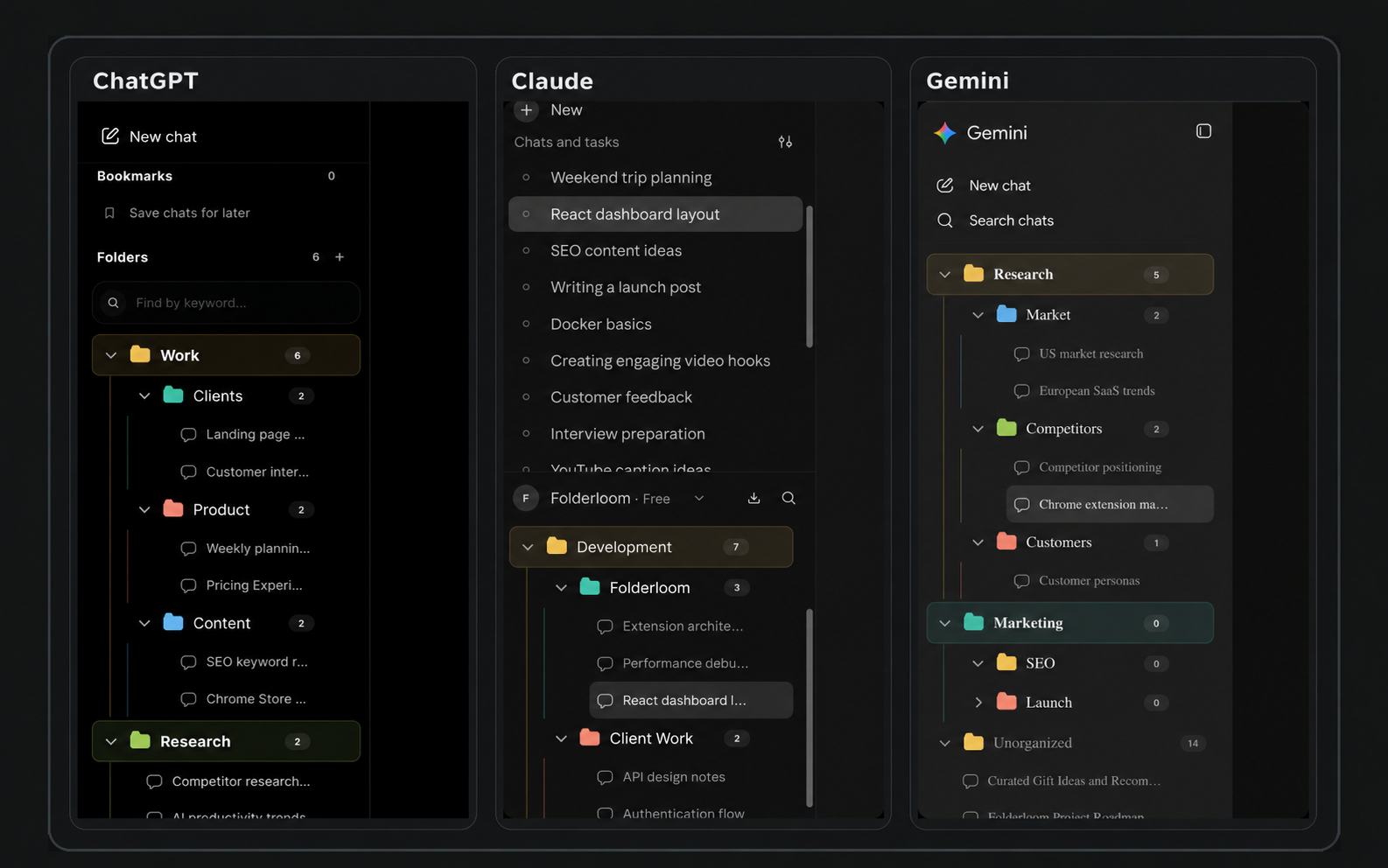
Keep Gemini research and decisions separate
For Home energy research, put tariff comparisons and insulation questions in Options, then bookmark the conversation with your current shortlist in Decisions. Gemini’s original chats remain with Gemini; a Folderloom folder is a local navigation structure, not a new provider workspace.
A Gemini Gem and a Folderloom folder serve different purposes. A folder groups chat references; it does not configure an assistant or transfer a Gem’s instructions. To reuse wording across providers, save a prompt in Prompt Library. To continue a visible discussion elsewhere, review a Continue across AI draft before sending it.
Your account and local search
Connect to Knoveya with Google to use Folderloom. Folder names, bookmarks, saved prompts and cached conversation text stay in Chrome on this device and are not synced to Knoveya.
Advanced Search finds titles and cached conversation text across ChatGPT, Claude and Gemini. Free opens the five newest matching chats; other results remain visible with blurred details and an upgrade option. Pro opens all matches. Unloaded messages, images and attachments may be missing.
Keep research threads close to their project
Gemini chats can cover research, writing, planning and quick experiments. A project folder keeps the threads you expect to revisit together without requiring you to remember which day you started them.
Use nested folders for meaningful boundaries such as Research, Drafts and Decisions. Avoid making a folder for every single chat.
Find the chat from the clue you remember
Folderloom searches folder names and chat titles locally in the Gemini workspace. Bookmark the conversations you return to, then drag them into a clearer place as the work develops.
Folderloom keeps this organization metadata in your browser and does not upload the chat content to Knoveya.
Use one structure across three AI tools
Project-first naming makes it easier to move between Gemini, ChatGPT and Claude. The provider histories stay separate, while your Folderloom habits stay consistent.
Separate research organization from fact checking
Putting a Gemini chat in a folder does not verify its answer or preserve the webpages it cites. Use folders to keep the trail of your research easy to reopen, then check the original sources when making a decision. A bookmark is a retrieval aid, not an endorsement of the answer.
The same topic can appear in a Gemini chat and a Claude draft. Matching folder names in the two workspaces makes them familiar, but does not automatically transfer conversations or share their content.
What the current extension does not do
Sidebar search matches folder names and chat titles. Advanced Search finds locally cached chat text, including Gemini conversations you have opened. Unloaded messages, images and attachments may be missing. It cannot restore a conversation removed from the provider, and local data does not sync across devices.
The Chrome Web Store release includes folders, bookmarks, drag and drop, local title and cached conversation search, Prompt Library and Continue across AI.
Try a small organization routine
- Install Folderloom in Chrome, connect with Google, and open Gemini. Pick an active research question you expect to revisit.
- Create a topic folder, for example Home energy research. Move relevant sidebar chats into it.
- Add Options and Decisions subfolders if you need to separate exploratory chats from conclusions.
- Bookmark the thread with the current shortlist. Leave disposable one-off questions outside the project.
- Search by a remembered title word, then review the original conversation and its sources before relying on a conclusion.
Example project structure
Home energy research
  Options
  Decisions
Travel planning
Reference